
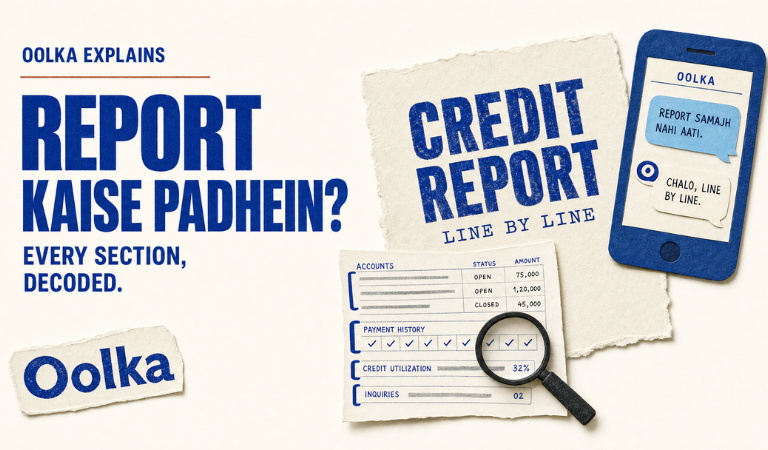
To read your credit report, review your personal details, loan accounts, repayment history, credit enquiries, and account status section by section to identify errors and understand what lenders see.
Loan application delayed. Score looked fine. Problem hidden in the report.
Priya, 33, Hyderabad.
Applied for a Rs. 12 lakh home loan. An old credit card was still showing as active.
The main issue wasn’t the score. It was the report.
Most people only look at the score. The report itself contains far more information and often explains why a lender approved, rejected, or delayed an application.
This guide explains how to read a credit report, what each section means, what mistakes to look for, and how to understand the information lenders actually review.
What Is A Credit Report?
A credit report is a detailed record of your borrowing history maintained by a credit bureau using information submitted by lenders such as Yes Bank, Bandhan Bank, Shriram Finance, Aditya Birla Finance, and L&T Finance. This is the simplest credit report definition and the starting point for understanding your credit profile.
The report typically includes:
- Personal identification details
- Loan accounts
- Credit card accounts
- Repayment history
- Credit enquiries
- Account status updates
- Settlement or write-off records
When lenders review a loan application, they usually read the report before reviewing income documents.
For example, if a borrower has:
- Two active personal loans
- Three credit cards
- One settled account
All of these details appear in the report.
The report is often more important than the score because it explains the activity behind the number. A lender may overlook a minor score fluctuation but pay close attention to a recent settlement or repeated late-payment history.
How To Download Your Credit Report?
You can check your credit report on Oolka for free. Alternatively, if you are wondering how to download credit report from Experian, the process involves identity verification, PAN validation, and mobile authentication before the report becomes available.
The process generally involves:
- Visiting the official Experian India website
- Entering PAN details
- Completing identity verification
- Verifying your mobile number
- Accessing the report online
Once downloaded, save a copy for future comparison.
Many borrowers only download a report when a loan is rejected. A better approach is reviewing it every few months, especially before applying for major credit products such as home loans, vehicle loans, or business financing.
The report also helps identify old accounts that may still appear active or repayment entries that do not match your records.
What Personal Information Should You Check First?
The personal information section contains your identity details and is usually the first section lenders verify.
Typical fields include:
- Full name
- Date of birth
- PAN number
- Aadhaar-linked information where applicable
- Mobile number
- Email address
- Current and previous addresses
Errors here can create account-matching issues.
Common examples include:
- Incorrect spelling of names
- Wrong date of birth
- Old mobile numbers
- Outdated addresses
Even small mistakes can lead to account information being associated incorrectly.
If a lender cannot properly match records, it may trigger additional verification requests or delays during approval.
This section should always be reviewed before looking at scores or loan accounts because identity mismatches often affect multiple areas of the report simultaneously.
What Should You Look For While Reading Your Credit Report?
A credit score check tells you where you stand today, but the report shows the accounts, payments, balances, and enquiries that got you there. While reading your report, focus on the entries that explain your borrowing history, repayment behaviour, and account status rather than looking only at the score.
Some entries are straightforward, while others require closer attention. The table below explains what common report entries mean and what you should verify before applying for credit.
| Report Entry | What It Means | What To Check |
| Active Account | Loan or card is currently open | Confirm the account is actually active |
| Closed Account | Account has been closed | Verify closure date is correct |
| Settled Account | Debt was settled instead of fully repaid | Confirm the status is accurate |
| Credit Enquiry | A lender reviewed your profile | Ensure you recognise the enquiry |
| Late Payment Entry | A payment was reported after the due date | Compare with payment records |
| Outstanding Balance | Amount still reported as due | Match it against lender statements |
For example, a borrower may see a healthy score but also notice a settled account, an incorrect balance, or an enquiry from a lender they never approached. The score alone will not explain those details. For that, it is important to access the report.
That is why lenders review both the score and the underlying report before making a decision. Understanding these entries makes it easier to spot issues before they affect a loan, credit card, or future borrowing application.
What Do Loan And Credit Card Sections Reveal?
The account section shows every credit facility reported by lenders.
Typical entries include:
- Personal loans
- Home loans
- Vehicle loans
- Credit cards
- Consumer durable loans
- Business loans
Each account generally contains:
- Sanctioned amount
- Outstanding balance
- Opening date
- Account status
- Repayment history
A borrower with an active Rs. 8 lakh vehicle loan and a Rs. 2 lakh credit card limit will see both accounts listed separately.
Review:
- Active accounts
- Closed accounts
- Duplicate accounts
- Incorrect balances
- Wrong ownership information
Many approval issues begin here because old loans sometimes continue showing as active after closure.
When lenders review applications from institutions such as Axis Bank, Federal Bank, or Tata Capital, this section often receives the most attention.
How Should You Read Repayment History?
Repayment history records whether payments were made on time. This is one of the most important sections because lenders use it to assess payment behaviour.
A repayment grid may show:
- On-time payments
- Delayed payments
- Missed payments
- Account irregularities
When reviewing this section:
- Check every month
- Verify late-payment entries
- Compare with bank records
- Confirm account status accuracy
A single incorrectly reported delay can create unnecessary questions during loan processing.
Repayment history is especially important because negative entries may remain visible long after the issue itself has been resolved.
Borrowers frequently focus on balances while overlooking repayment records, even though lenders often pay closer attention to payment patterns than to current debt amounts.
How One Wrong Account Held Up An 18-lakh Loan
Vikram, 38, from Jaipur, was preparing to apply for a business loan worth Rs. 18 lakh.
While reviewing his report, he noticed an unsecured loan that he did not recognise.
What happened next:
- The account was reviewed against his lending history
- Oolka filed the dispute
- Oolka drafted the lender objection email
- Oolka escalated the correction request with supporting information
- Follow-ups continued until the disputed entry was reviewed
Result: The incorrect account was removed from consideration during underwriting review, allowing the application to proceed without the same risk concerns.
The lesson is simple: not every issue comes from low scores. Sometimes a single incorrect account causes the issue.
Check your report on Oolka. Most borrowers stop after finding the problem. Oolka carries it forward by raising the dispute, sending objection letters to the lender, and pushing the case through the correction process.
What Do Credit Enquiries Tell You?
Credit enquiries show how often lenders have reviewed your profile for new credit applications.
Each enquiry usually contains:
- Lender name
- Date
- Purpose of enquiry
Some enquiries are expected.
Examples include:
- Credit card applications
- Personal loan applications
- Vehicle loan applications
Review this section carefully for:
- Unknown enquiries
- Duplicate enquiries
- Unexpected lender activity
Several enquiries within a short period can indicate aggressive borrowing activity.
A borrower applying for six personal loans within one month may appear riskier than someone applying for a single product.
This section is also useful for identifying possible fraud or unauthorised applications submitted using your information.
How Can You Identify Errors In Your Report?
Errors are any entries that do not accurately reflect your credit history.
Common examples include:
- Wrong account status
- Duplicate loans
- Incorrect outstanding balances
- Unrecognised accounts
- Incorrect repayment records
- Identity-related errors
Review each section separately rather than scanning the report quickly.
Compare report information against:
- Loan closure letters
- Bank statements
- Credit card statements
- Lender communications
Many borrowers discover problems only after rejection.
A proactive review allows issues to be addressed before a lender sees them.
Even a single incorrect account can influence underwriting decisions, particularly for higher-value products such as home loans or business loans.
How To Improve Credit Score Using Information In The Report?
The report shows the exact issues affecting your profile. Understanding those details is often the first step in learning how to improve credit score effectively.
Focus on:
- Clearing overdue amounts
- Reducing high utilisation
- Avoiding repeated applications
- Correcting inaccurate entries
- Maintaining on-time payments
A strong profile generally takes 2 to 3 years of consistent repayment behaviour to build.
Short-term improvements are possible, but sustainable score growth comes from correcting underlying issues and maintaining disciplined repayment habits.
Instead of focusing only on the number itself, review the report sections driving the score movement.
That approach produces more meaningful long-term improvement.
Can An AI Tool Help Fix Credit Report Issues?
An AI tool finds errors, files disputes so that you don’t have to, writes objection letters, and follows up until the issue is resolved. Using an AI tool to fix credit report issues ensures that individuals get an accurate credit report.
Correction processes often require:
- Identifying inaccurate records
- Preparing dispute information
- Drafting lender communications
- Tracking responses
- Monitoring updates
Many borrowers struggle because they are unsure where to start.
The challenge is often not finding the error. The challenge is understanding the next steps after finding it.
Technology can simplify this process by turning a report issue into an actionable correction workflow rather than leaving the borrower to manage every step manually. For borrowers dealing with reporting errors, Oolka serves as an AI tool that fixes credit report issues and manages the correction process more efficiently.
The Bottom Line: How To Read Your Credit Report
Most borrowers focus only on the score. The report itself usually contains the information lenders use to understand borrowing behaviour, repayment patterns, active obligations, and potential risks.
A complete review should include personal details, loan accounts, repayment history, enquiries, and account status information. Checking the report every 3 to 6 months helps identify issues before they affect approvals.
Check your report on Oolka. The dispute filing, lender outreach, and follow-up don’t have to become another task on your list. Oolka completes all these tasks so borrowers aren’t left chasing updates.
FAQs
1. How to properly read a credit report?
Start with personal details, then review loan accounts, repayment history, and enquiries. Verify that every account, balance, and payment record matches your actual borrowing history.
2. Is 700 to 750 a good credit score?
Yes. A score between 700 and 750 is generally considered a healthy range for many lending products. Approval still depends on income, existing debt, and lender policies.
3. Can I get a 900 credit score?
It is possible, but relatively uncommon. Most strong borrowers fall somewhere below the maximum score while still maintaining excellent credit profiles.
4. What can you get with a 700 score?
A score of 700 is generally considered fair to good and may qualify you for many credit cards, personal loans, and vehicle loans, subject to the lender’s eligibility criteria.
5. Is 620 a poor credit score?
A 620 score is usually viewed as below average. Some lenders may still approve applications, but terms may be less favourable.
6. What information is included in a credit report?
A report typically includes personal details, loan accounts, credit card accounts, repayment history, enquiries, and account status information. It serves as a record of your borrowing activity.
7. What is the difference between a credit report and a credit score?
The score is a number summarising credit risk. The report contains the detailed information used to generate that score.
8. How often should I review my credit report?
Reviewing the report every 3 to 6 months is generally a good practice. Additional reviews may be useful before major loan applications.
9. How can I identify errors in my credit report?
Compare report entries against loan documents, statements, and closure records. Look for unfamiliar accounts, incorrect balances, or inaccurate repayment history.
10. Can incorrect information on a credit report affect my credit score?
Yes. Incorrect account information or repayment records can influence how lenders assess risk and may affect score calculations.
11. What should I do if I find a mistake in my credit report?
Gather supporting documents and begin the correction process with the relevant bureau or lender. Keeping records of all communications is also important.
12. How long does information stay on a credit report?
The duration depends on the type of information and bureau policies. Different account events may remain visible for different periods.
13. Does checking my own credit report affect my credit score?
No. Checking your own report is generally considered a self-review activity and does not negatively impact your score.